

Get the best internet in your area.
No locations published for this selection.
Find better broadband. Compare local internet providers, plans and prices for your home in Bangladesh.
Compare published plans below. Confirm availability at your address with the provider.
Networks to explore — availability must be confirmed





Which internet provider is right for you?
Read our guide to choosing a better connection.
How can we help with your internet?
Compare providers
Compare internet plans from local providers in your area. Find the speeds, monthly prices and package details that work for your home.
Find ProvidersTroubleshoot problems
Experiencing spotty Wi-Fi or a frustrating slowdown? Learn how to check your connection and get to the bottom of common internet problems.
Troubleshooting GuidesUnderstand your options
Fiber, cable, DSL, wireless: there are many ways to get connected. Explore the differences and find out what to ask before you choose a plan.
See Your OptionsSpeed up your internet
Get the speed you need to keep your life running smoothly. Start with practical tips for router placement, Wi-Fi coverage and a better home network.
Internet Speed GuidesA better connection starts here.
Compare monthly plans from leading internet providers.
Ek Desh Ek Rate Package-1
15Mbps
Advertised speed
৳525/month
VAT included
Setup: ask provider
View plans & detailsPrices checked 2026-10-24. Availability and installation charges vary by address.
Internet reports and data explainers.
Three editorial explainers for reading connection data—not published research reports, measured results or provider rankings.
Internet speed
A connection to an internet test endpoint. Results depend on the endpoint and network conditions.
See how testing works
BDIX / local connectivity
Access to connected local networks. One local test cannot prove access to every BDIX service.
How we treat these claims
Content caches
Some content may be served closer to you. A package claim is not a measured result.
How we treat these claimsHome networking, made understandable.
Practical articles to help separate a Wi-Fi problem from a package or installation question.
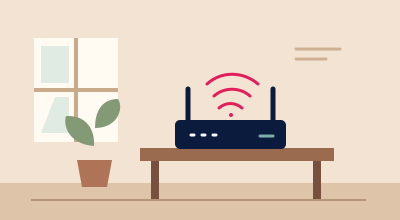
Start with your router placement
Keep the router in an open, central position rather than behind thick walls or inside a cabinet. Compare tests near the router and in the room where you use the connection.
Check your connection
Compare Wi-Fi with a wired connection
Where your device supports Ethernet, repeat the same test with a cable and with Wi-Fi. Keep the endpoint and other downloads consistent; a difference is a clue, not proof of its cause.
Run a comparison test
Ask the right installation questions
Ask about cable availability at your building, equipment, installation fees, taxes and support. An area listing alone cannot confirm that a connection can be installed at your address.
Read the practical answersLinked area exampleNo linked area record
Find internet by Bangladesh division.
Not every ISP serves every street. Explore directory locations on the map or in the list. Active division links open an example area, not every address in that division. Search your exact neighbourhood for a more specific starting point.
No division-to-area records have been published yet. Use the area search to see any available locations.
Choose your exact areaOriginal schematic map. Positions are approximate; administrative boundaries and islands are simplified. Active links indicate directory area records, not verified coverage or installation at your building.
Understand your internet connection options.
Open a connection type to learn how it works. These are educational categories, not a list of services available in your area.
DSL
DSL carries data over telephone copper lines. Performance depends on the line, distance and the service provisioned; confirm whether it is offered at your address.
Cable
Cable internet uses a coaxial network. Capacity and local network conditions affect performance; the connection type alone does not establish an available package.
Fiber
Fiber uses optical signals. Ask where the fiber terminates, which equipment is supplied and what upload and download terms apply to the actual package.
Satellite
Satellite connections require a compatible terminal and an authorised service. Latency, data policies and installation conditions vary; check current local availability directly.
Wireless
Fixed wireless and mobile networks use radio links. Signal, interference, equipment and network load matter. Home Wi-Fi is only one part of the connection path.
Put your internet speed to the test.
Use the browser-based test with consent and a known endpoint. A measurement describes its test conditions, not a guaranteed service level.
Internet speed test
Check download, upload and latency against a selected test endpoint.
Start a speed testVPN speed check
Compare separate tests with and without your VPN, keeping the endpoint and other conditions consistent.
Explore VPN testingBusiness connection check
Consider repeat measurements, upload needs and network conditions when evaluating a connection for work.
See business test guidance
Test your internet speed on mobile.
A speed measurement is a snapshot, not a promise. Check download, upload and latency with the endpoint and test conditions kept in view.
Check your connectionNo app download needed. Testing starts only after consent. The local preview measures its development server, not your ISP.
A claim is a starting point. Not a guarantee.
Coverage is area-level, not a building-level installation promise. Published package sources and review checks must be maintained by the editor. Advertised speeds, reported BDIX claims and measured results remain distinct. Demo records are never proof of real service.
Before you choose a connection.
A few practical answers for your broadband search.
Are package prices guaranteed?
Published plans include source and check dates where available. Prices, taxes and eligibility can change; confirm the current offer directly with the provider before subscribing.
Does area coverage guarantee installation?
No. Confirm cable availability, current taxes and installation terms directly with the provider.
Is BDIX speed the same as internet speed?
No. Local and internet endpoints can behave differently. Compare them separately with their test conditions disclosed.
How do speed tests and customer reviews work?
Speed tests require consent and a configured measurement endpoint. Where review submission is available, signed-in customers can submit an experience for independent verification and approval before publication.
Provider listings are not rankings, and illustrated scenes are not customer testimonials. Confirm current terms and building-level availability directly with the provider.